OnePay – Mobile Banking
- 4.8
- Rating
- 5.00M
- Installs
- Free
- Price

 Analysis by App-foxy
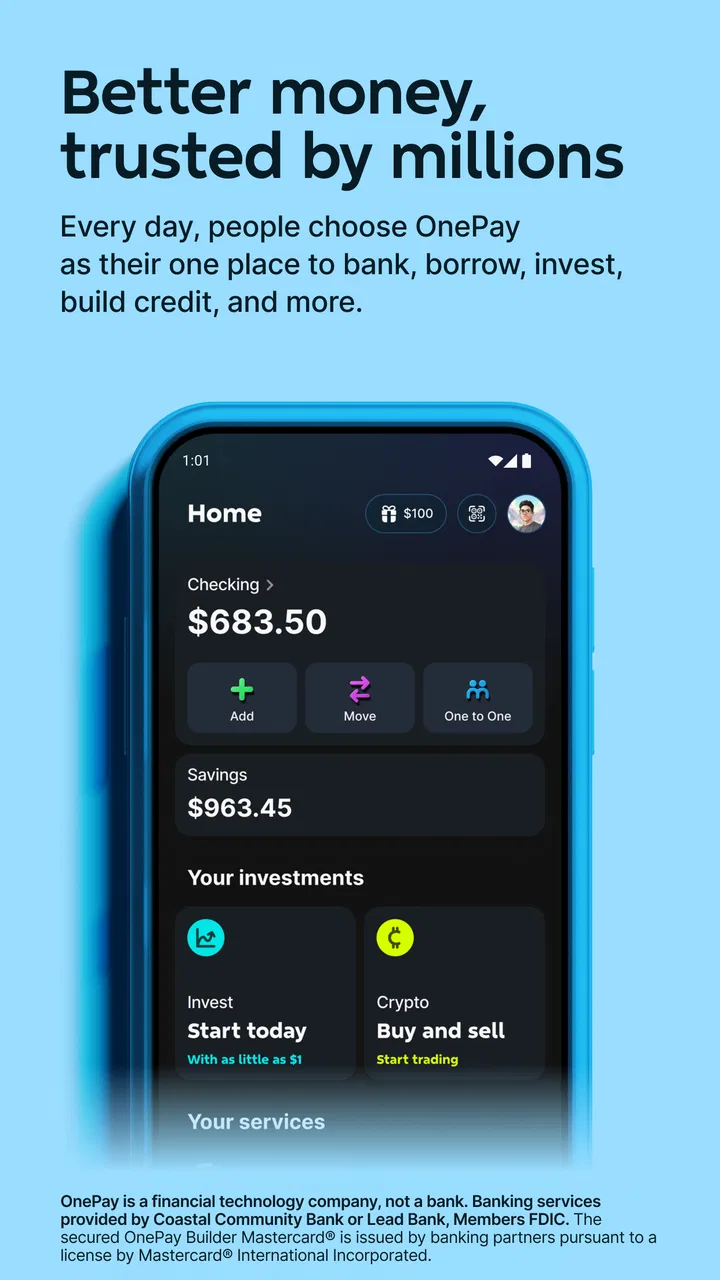
I tend to judge a finance app by what happens in ordinary, slightly inconvenient moments: standing in a checkout line, checking whether a bill has cleared, or trying to understand why a balance looks different from yesterday. OnePay – Mobile Banking is built for those moments, bringing payments, banking tools, and credit-building features into one mobile experience. After spending time with it, I found its biggest appeal is not that it replaces every financial service, but that it puts several everyday money tasks in one place.
It is a free finance app from ONE Finance, Inc., with an Everyone age rating. The app has reached over five million installs and holds a 4.8 average from roughly 114 thousand ratings, which suggests that its central idea resonates with many users. I can see why: the interface is aimed at people who want to manage money from a phone rather than move between a traditional bank app, a payment tool, and a separate credit-focused service.
That convenience comes with an important condition. A mobile banking app is only as useful as the connection available when you need it. OnePay feels most comfortable when I have a reliable network and a few seconds to let account information refresh. If I were choosing it, I would see it as a practical daily financial companion, not as a substitute for planning around connectivity or keeping a backup way to handle urgent payments.
You May Also Like

 Blood Strike: 2.5 Anniversary
Blood Strike’s Loadouts Turn Every Drop Into a Tactical Gamble
A close look at Blood Strike’s custom loadouts: how fast access to signature weapons reshapes its battle royale rhythm, rewards preparation, and narrows the gap between fights.

 Pandora - Music & Podcasts
Pandora’s Music Is Easy to Start, but Harder to Recover
Pandora’s strength is its low-effort path from a seed to a station. Its weak spot is how much confidence it asks you to place in connection, setup, and quiet recovery.

 8 Ball Pool
 Is Built on Rivalries, Rematches, and Routine
A close look at the rivalries, rematches, shared routines, and unanswered safety questions that turn a quick pool match into a persistent mobile community.

 Samsung Music
’s Quiet Strength Is Playing What You Already Own
Its reach comes less from spectacle than from dependable access to a personal library. That simplicity is both the app’s strongest retention engine and its ceiling.

 AccuWeather: Weather Radar
AccuWeather Review: A Quick, Clear Forecast for Everyday Decisions
For everyday plans, the best forecast is the one you can understand quickly. AccuWeather makes rain timing, radar, and local conditions easy to act on, with a few trade-offs.

 Hill Climb Racing
Why Hill Climb Racing Still Turns Crashes Into One More Run
A tiny car, a bumpy hill and one more upgrade: Hill Climb Racing keeps resurfacing because its simple chaos makes every near-miss feel personal.
More From Our News Desk



How OnePay feels when the network is part of the experience
I find OnePay easiest to judge when I think about the conditions around a money task, not just the task itself. A quick balance check may be simple at home but less certain while moving between networks or waiting in a checkout line. In this section, I’ll focus on how I’d pace those moments and decide when to wait for a clearer connection before moving on.
Checking money is quick when the connection cooperates
The first thing I noticed is how naturally the app fits short financial check-ins. I can imagine opening it before buying groceries, after receiving a payment, or while deciding whether a subscription can safely renew. Those actions depend on current account information, so the app’s usefulness is tied to how quickly it can communicate with its banking systems and display the latest state.
That connection-dependent design is normal for modern banking, but it changes how I use the app. I would not wait until the cashier asks for payment to open OnePay for the first time. A better habit is to check the account before leaving home, especially if I am heading somewhere with unreliable reception. This small change reduces the chance of turning a simple purchase into a stressful troubleshooting session.
The same applies to credit-building activity. Credit-related features are not something I would treat as an instant result after tapping a button. I would use the app to keep an eye on the relevant activity and make regular reviews part of my routine. The mobile format makes those reviews easier, but it does not remove the need for patience, careful reading, or sensible spending.
Payments are convenient, but timing still matters
OnePay’s promise is especially attractive for people who want to pay and manage banking tasks from one place. In daily use, that could mean opening the app to review available funds, making a payment, and then returning later to confirm that the account reflects the action. The advantage over juggling several apps is less switching and less mental clutter.
However, I would avoid assuming that every action is complete the instant the screen changes. Banking workflows can involve processing stages, and a weak connection can make it difficult to tell whether a request went through, is still loading, or needs attention. If I were paying an important bill, I would save enough time to verify the result rather than repeatedly tapping the same control.
My practical rule is simple: never repeat a financial action just because a network delay makes the first attempt unclear. I would first refresh the account, look for a visible status change, and check any available activity record. That approach is less exciting than tapping again, but it lowers the risk of duplicating a payment.
What changes when I move between Wi-Fi and mobile data
OnePay is designed for a phone, so I would expect to use it while moving between home Wi-Fi, work networks, and mobile data. That flexibility is useful, but transitions can be awkward in any connected financial app. A request started on one network may take longer after the phone changes connection, and a screen that looked unfinished may simply need a moment to catch up.
I found it more sensible to treat network changes as a reason to pause. If I open the app in a parking lot, on public transport, or inside a large building, I would wait for the account view to settle before making decisions based on the displayed balance. This is particularly important when a recent purchase or deposit is central to the decision.
Using it in real mobile situations
A realistic example is a busy weekday lunch. I might receive a payment earlier in the day, open OnePay while walking to a café, and check whether the available money is enough for lunch and an upcoming automatic expense. If the connection is strong, that is exactly the kind of small task a mobile banking app handles well. I do not need to sit at a computer or remember to review everything at night.
Now imagine the same situation underground or in a crowded venue. I would not rely on the app to rescue me at the last second. I would check beforehand, keep my phone charged, and carry a backup payment method for anything important. That is not a criticism unique to OnePay; it is a realistic boundary of phone-based banking. The app makes access more convenient, but convenience should not be confused with guaranteed access in every location.
Another useful context is travel within the country, where I may be away from my usual Wi-Fi and less familiar with my spending pattern. OnePay can help me keep financial checks close at hand, but I would be careful with public networks and avoid rushing through sensitive actions simply because I am distracted. A short review before leaving for the day is safer than trying to reconstruct spending after several purchases.
What I would do after a failed or uncertain action
When a banking action appears to fail, the most important detail is whether the request was rejected or merely not displayed yet. I would first stop interacting with the control. Then I would reconnect, reopen the relevant account or activity area, and look for evidence of the original attempt before trying again.
This workflow matters because repeated taps are a poor recovery strategy for payments. If the app has returned to a normal screen but the balance has not changed, I would give it time and check again rather than assume nothing happened. If I needed a definitive answer quickly, I would use the app’s visible account information and any available support route instead of creating another transaction.
I also recommend keeping a simple note of important payment times when connectivity is unstable. It does not need to be elaborate: the amount, recipient, and approximate time are enough to help distinguish a new request from an earlier attempt. This is one of those habits that feels unnecessary when everything works and extremely useful when a connection drops at the wrong moment.
Account access and recovery deserve preparation
A finance app is not the place where I want to improvise account recovery. Before depending on OnePay for daily money management, I would make sure I know how I normally sign in, that my phone has a working connection when I need to access the account, and that I can recognize the difference between a loading problem and an account problem.
I would also avoid testing important actions for the first time during an emergency. A quiet moment at home is better for learning where payments, banking information, and credit-building tools live. Once I understand the layout, a slow screen on mobile data is less likely to cause panic.
Making data use part of the routine
Because OnePay is a connected finance service, I would use it deliberately on mobile data rather than leaving it open and repeatedly refreshing. Most money checks do not need constant monitoring. A few planned reviews are more sensible than opening the app every few minutes, especially when I am travelling or working with a limited data allowance.
My preferred routine would be to review the account before shopping, confirm important activity after a transaction, and avoid unnecessary reloads when the network is slow. I would also wait for a stable connection before completing a payment. These habits are not about avoiding the app; they are about using a connected financial tool with more control and less frustration.
The app’s free price makes this approach easy to try, but “free” does not mean every personal cost disappears. Time spent resolving an uncertain transaction, mobile data used during repeated refreshes, and the attention required to monitor credit-related activity all matter. I would judge the value by whether having these tools together saves me effort over the month.
Who benefits most from the combined approach
OnePay makes the most sense to someone who wants a single mobile destination for routine payments, banking, and credit-building activity. It could suit a person who is tired of checking one service for spending, another for payments, and a third for credit-related tasks. The app’s broad focus is its strongest practical advantage.
It may also appeal to people who prefer frequent, small checks instead of occasional desktop banking sessions. If I like seeing where I stand before making a purchase and want credit-building tools close to the rest of my money activity, the phone-first design is convenient.
I would be more cautious about recommending it as the only financial tool for someone who often has poor connectivity, needs extensive desktop features, or wants highly specialized budgeting and investment analysis. A traditional bank’s broader service environment may be better for complex financial administration, while a dedicated budgeting app may offer deeper planning. OnePay is strongest when the goal is accessible everyday money management, not an all-purpose financial command center.
How it compares with familiar alternatives
Compared with a traditional bank app, OnePay’s identity is more focused on combining payment access, banking, and credit-building in a single mobile experience. A conventional bank may feel more established for customers who need a wide range of account types or branch-related services, but it can also mean that credit tools and payment tasks are separated or presented less cohesively.
Compared with a standalone payment app, OnePay offers a broader financial context. A payment-only service can be excellent when sending money is the main need, yet it may not be where I want to review banking activity or think about credit. OnePay’s trade-off is that a broader app can require more attention than a narrow tool built for one fast transaction.
Compared with a dedicated credit app, its advantage is integration. I do not have to treat credit-building as a completely separate part of my financial routine. The trade-off is that users seeking detailed credit education or highly specialized monitoring may prefer a service built around that single purpose. The right choice depends on whether convenience across tasks matters more than depth in one area.
What the current app details tell me
The app was released on July 23, 2020, and the current version is 5.45.0. It supports Android 7.1 and later, which gives it a broad compatibility range for people using older devices. That is helpful if I am not upgrading my phone frequently, although performance and connection quality can still vary by device and network.
The strong average rating and large user base make the app worth considering, but I would not treat popularity as proof that every user will have the same experience. Finance apps are personal: the value depends on the payments I make, the banking setup I want, my phone habits, and how dependable my usual connection is. The rating gives me confidence that the core experience works well for many people, while my own routine determines whether it is a good fit.
My verdict on connected everyday banking
After looking at OnePay through the lens of connectivity, I see a capable option for people who want payments, banking, and credit-building tools close together on a phone. Its biggest strength is the way it encourages quick, regular financial check-ins instead of making money management feel like a separate administrative chore.
The main limitation is equally clear: important actions still deserve time, a stable connection, and confirmation. I would not depend on it blindly in a place where reception is unreliable, and I would not repeat a payment just because a screen takes longer than expected. Used with those precautions, it can be a practical alternative to maintaining several narrower apps.
My recommendation is to try OnePay if you want a connected, mobile-first finance app and value having several everyday tools together. I would skip it as my primary choice if I need complex financial planning, extensive desktop work, or a service that remains central even when my phone cannot reliably reach the network. For the right user, though, the free app from ONE Finance, Inc. offers a convenient way to keep routine money decisions within reach without making the experience feel overly complicated.
In the end, I like OnePay most as a habit-building tool: check before spending, confirm after paying, review credit-related activity calmly, and prepare for weak connectivity instead of reacting to it. That mindset makes the app more dependable in real life and helps its convenience work in your favor.
FAQs for OnePay – Mobile Banking
01What features does OnePay – Mobile Banking offer?
OnePay – Mobile Banking provides a comprehensive range of features including account management, instant fund transfers, bill payments, and budgeting tools. It also offers advanced security measures such as fingerprint or facial recognition login, transaction alerts, and fraud protection. Users can manage multiple accounts, set spending limits, and access customer support directly through the app.
02Is OnePay – Mobile Banking secure?
Yes, OnePay – Mobile Banking prioritizes security with state-of-the-art encryption, two-factor authentication, and biometric login options. The app sends real-time alerts for every transaction and provides fraud monitoring services to protect user information. Regular updates and security patches ensure that your financial data remains safe from cyber threats.
03Can I use OnePay – Mobile Banking internationally?
OnePay – Mobile Banking is designed for global use, allowing you to access your accounts and manage finances from anywhere in the world. However, certain features like local bill payments may be restricted to specific regions. It’s advisable to check with your bank for any additional fees or limitations on international transactions.
04How does the budgeting tool in OnePay – Mobile Banking work?
The budgeting tool in OnePay provides an intuitive interface to help you track spending and savings goals. It categorizes expenses automatically and offers insights into spending patterns. Users can set budgets for different categories, receive alerts when nearing their limits, and view detailed reports to improve financial management.
05What are the requirements to install OnePay – Mobile Banking?
To install OnePay – Mobile Banking, you need a smartphone running Android 6.0 or iOS 11.0 and above. An active internet connection is required for app functionality. Ensure your device has sufficient storage space and meets the necessary security standards to use all features effectively. Check the app store for the latest version and updates.
Pros
- User-friendly interface for easy navigation.
- Supports multiple currencies seamlessly.
- Quick setup with minimal documentation.
- Real-time transaction notifications.
- Secure with advanced encryption features.
Cons
- Limited customer support options available.
- Occasional app crashes reported by users.
- Some features require premium subscription.
- Limited integration with third-party apps.
- Not available in all countries yet.

OnePay – Mobile Banking
Gallery